

helix agent is a lean, general-purpose coding agent built on the same engine as Helix. No Helix
persona, no start screen, no step commands. Everything else is there: your project context
(AGENTS.md / CLAUDE.md), your provider, /trace, sub-agents, background monitoring, goal
loops.
Before you start: install Helix and give it a provider (an exported key
such as ANTHROPIC_API_KEY, or /login inside the session). No Mutagent sign-in is needed.
Three ways to use it.
1. Interactive — a plain coding agent
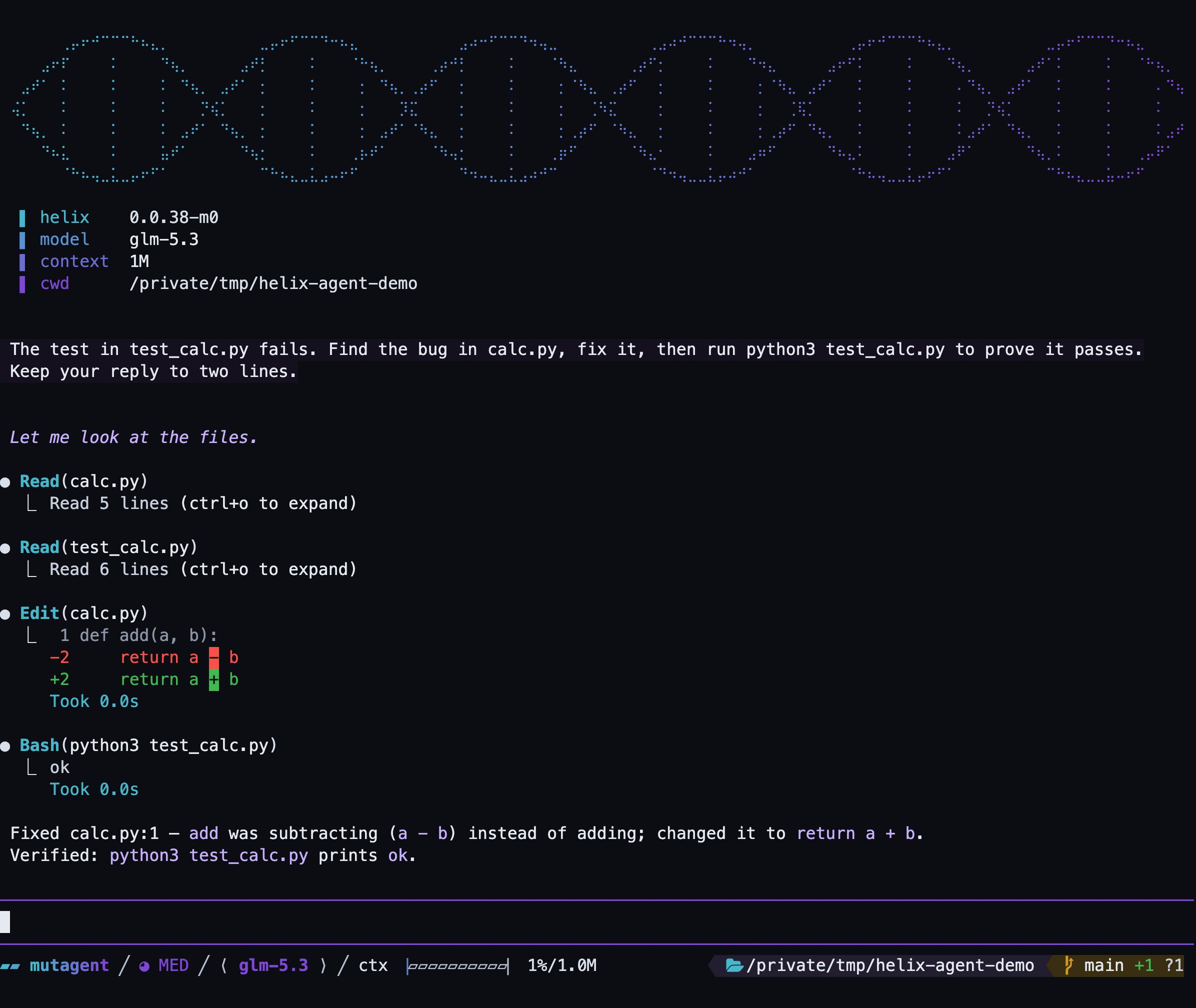
helix agent: the boot panel, then a bug-fix on calc.py with the test run to green.
2. Load a specific agent definition
Point it at a definition and that definition is the session:--name looks for <name>.md in your project’s .mutagent/agents/, .pi/agents/ and
.claude/agents/ directories (.pi/agents/ is the folder of the open-source Pi coding agent), then in your personal ~/.mutagent/agent/agents/, then in the
agents that ship with Helix. It checks on every start. If the same name exists in more than one
place, the project’s .mutagent/agents/ wins, so a Claude Code agent you already have works
as-is, and you can override it with a Helix version. A definition is a Markdown file with
optional YAML frontmatter; the body is the agent’s prompt:
name, description, tools, disallowed_tools, model,
thinking, skills (a list of skill names to mount). Inside the session, /agent prints what
loaded — source, skills, model, tools — so you can confirm you are talking to the right agent.
Bare helix agent and helix agent --name general-purpose are the same thing: a
general-purpose.md in any of those directories overrides the built-in one.
3. Headless — run one task with -p
-p runs a single prompt and exits: the answer goes to stdout, diagnostics to stderr, so it
composes with scripts and pipelines. It combines with everything above:
--provider and --model.
Other helix flags work here too (see helix --help); for example --model picks the model for the session:
Built-in capabilities
Fewer steps, same tools: all of this works without the full Helix session:Compared to the other modes
Add
--prime to run the same agent in the code-first mode, with running code as
its only tool.
Back to the modes overview
The full Helix session, agent mode, and the code-first mode side by side.