

Agent tool, the agent runs in
the background, and the session keeps going. The messaging is bidirectional — the session can steer
a running agent and read its result, and agents send findings back. You watch and steer all of it
from two surfaces: the fleet list and the agent viewer.
In the full Helix session (helix), Helix starts sub-agents itself when a stage needs parallel work. In
agent mode, your agent has the same tools and you can ask for parallel work
directly.
The fleet list
Dispatched agents appear under your prompt: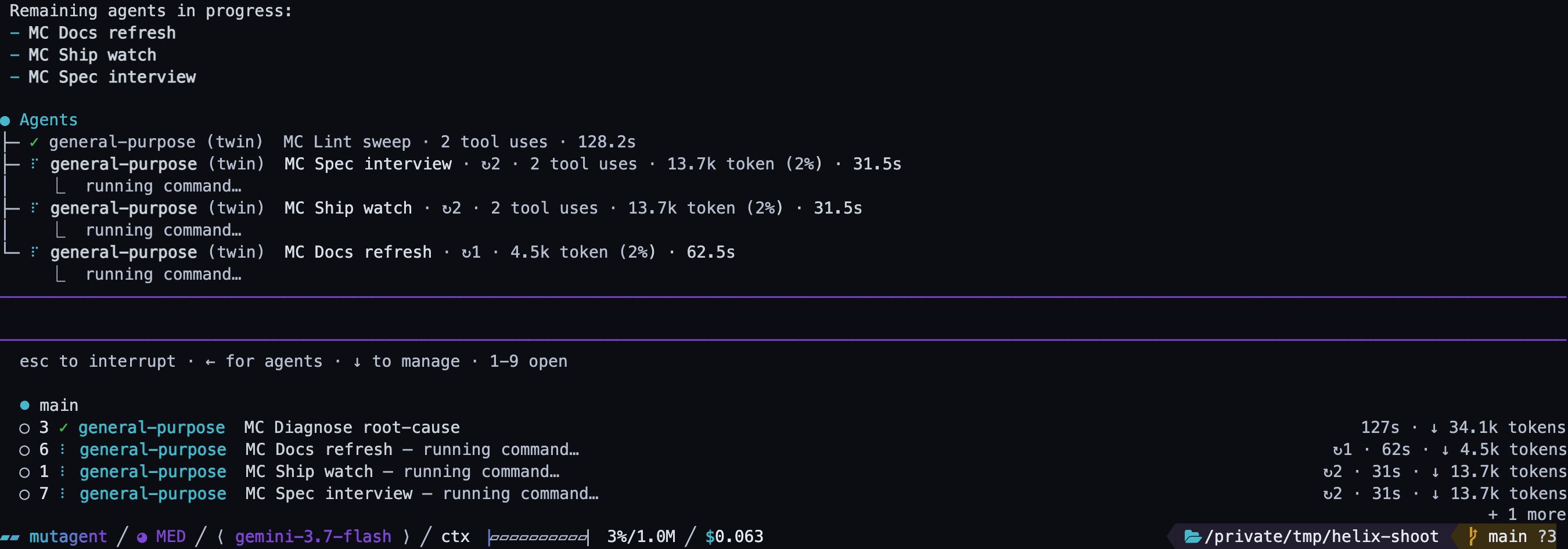
The fleet list: a finished agent lingering, three running, one more counted.
+ N more, never dropped. The digits are slots held for an agent’s
lifetime — an agent that finishes and ages out never renumbers the ones below it, so 5 opens
what it opened a minute ago.
Finished agents linger for a minute, and the clock restarts each time you open or close one, so an
agent you keep returning to cannot vanish mid-read. The list steps aside while a picker such as
/model holds focus.
The agent viewer
Open an agent and its conversation replaces the chat — it is not a split pane. The transcript renders with the same components as the main session: tool calls are real cards, markdown renders, diffs render, errors are styled as errors. It updates live while the agent works.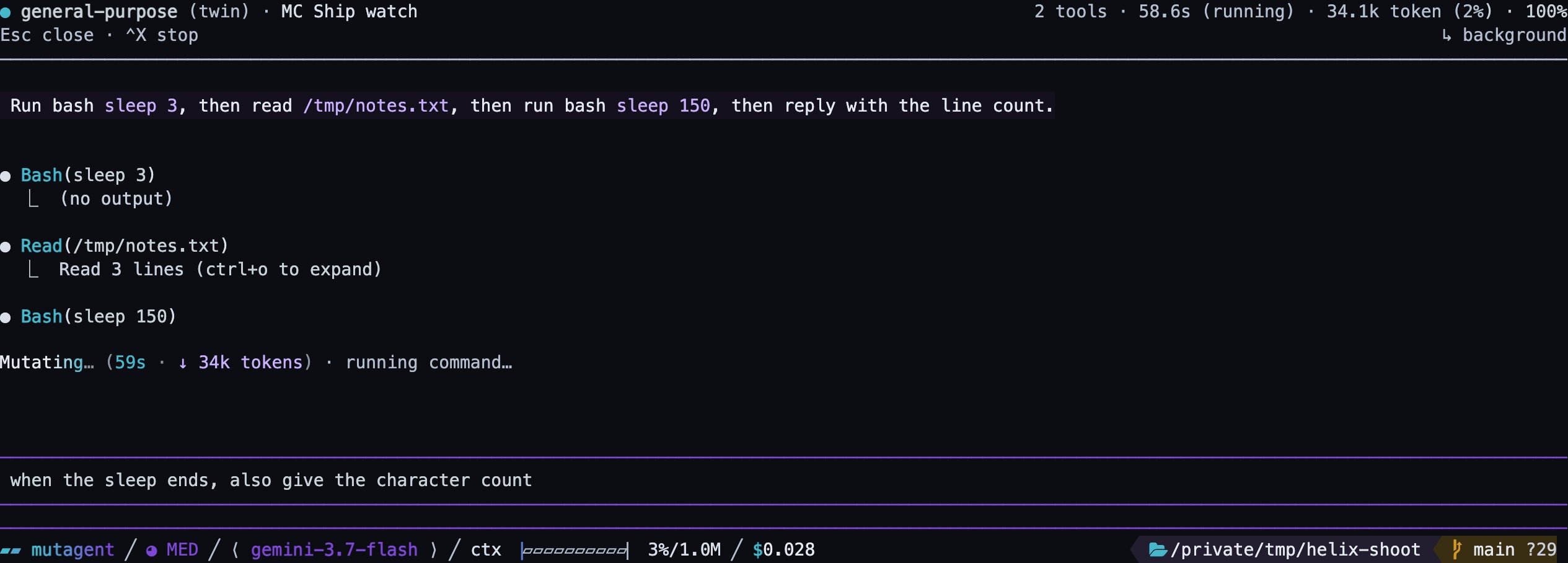
The agent viewer: live tool cards, the working line, and a steer typed into the composer.
Esc closes the viewer and returns you to
the main conversation; the agent keeps running.
Resume a sub-agent
A sub-agent’s result ends with its id:- the full id from the end of its result;
- the short ref shown in the agent list;
- a unique prefix of the id, at least four characters long.
Which model a sub-agent runs on
A sub-agent runs on the model its definition names, or on the model of the session that started it. Helix can also ask for a size instead of a model:large, medium or small.
When a size is asked for and none of its models is configured on your machine, or the model its
definition names is not configured, the sub-agent still runs, on the session’s own model. You and
the model both see a warning that names the model it runs on instead. A specific model asked for
explicitly in the request, and not configured, is refused, never a silent swap.
Failures report as failures
An agent that never reached the model — no tokens, no tools, no output — is reported as an error with the reason (model availability, provider credential, rate limits), not as a finished agent with an empty transcript. A sub-agent that stops for inactivity reports that it failed, with how long it was inactive. A resumed sub-agent never returns the result of its previous run as if it were new.Questions from background sessions
A Helix session can start another session in the background. When that background session asks a question, the question goes to the session that started it:
The wait is 10 minutes when a person is there and 5 minutes when an agent answers.
The rest of the session surface
The dashboard, the session commands, and the working line.